Changes to our online access from October 2025 - increasing access to routine care

From 1 October 2025, we will keeping Dr.iQ, powered by Evergreen, open between 8am and 6.30pm for routine requests. This will allow patients to make non-urgent requests, submit medication queries, and raise administrative requests.

If you have a routine (non-urgent) request, you can submit your request online using the Dr.iQ app, powered by Evergreen. Simply select the option: “I need help, but it’s not urgent.”

You can read more about this here.


Get support from us or book an appointment

For the fastest, most convenient way to access our GP services and appointments.

Request an appointment
Current Vacancies

Online Services

Online Services – faster, easier access to your GP practice

To provide you with an upgraded experience for requesting help from the practice and taking control of your health, Dr.iQ is now powered by Evergreen. This means you can now access your GP services and request help from the practice via the Evergreen Life app.

What is Dr.iQ, powered by Evergreen?

The new app brings all your health information, GP records and services into one place.

With the Evergreen Life app, you can:

  • Order repeat prescriptions easily
  • Access your GP records and results
  • Request help from your GP surgery
  • Get insights on how to be as happy and healthy as possible

Please make sure that you only use the links or QR codes on this page to download the Evergreen Life app if you are registered at The Potteries.

How do I access the app?
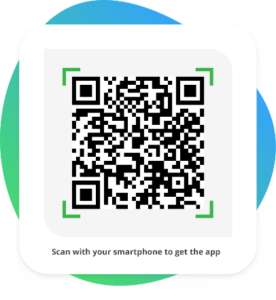
  1. Click here to download the app on your mobile device or scan the QR code below
  1. Create an Evergreen Life account
  2. Link to your GP securely with NHS login to access your GP services
  3. Tap ‘Request help from GP’ to get support from a clinician

If you’re unable to download the app or don’t want to use online services, please contact the practice directly by phone to make a request.

Getting started on the Evergreen app

https://vimeo.com/1030811688/f6b6d277b4?share=copy

Why use the app?

  • Quick response time – around 80% of requests are completed on the same day.
  • Easy for everyone – get a prompt response as a parent, carer, or patient.
  • Help with any problem – request help for medical problems, advice, test results, and administration queries.
  • Get help from home – avoid unnecessary visits to the practice and fit healthcare in around your lifestyle
  • Choose how you want to communicate – call, face-to-face, or message – it’s up to you!
  • Access NHS-assured GP services – order repeat prescriptions easily and access your medical records and results.
  • Secure communication – your medical details remain confidential to you and your GP.

Using your NHS account or Patient Access

There are other tasks you can do online, like:

  • order repeat prescriptions
  • view your test results
  • access your health record
  • check or cancel appointments
  • see your vaccination record

For these, you can use your NHS account (through the NHS website or NHS App) or Patient Access.

Setting up an NHS account

To set up your NHS account for the first time, you will need to set up an NHS login. Read about how to set up NHS login.

Once you have set up your NHS login, you can log in to your NHS account or download the NHS App onto your phone.

Setting up Patient Access

To set up Patient Access for the first time:

  • visit the surgery with photo ID so we can confirm your identity
  • we will give you a username and password
  • go to Patient Access or use the app to register

Footer

The Potteries Surgery
Privacy Overview

This website uses cookies so that we can provide you with the best user experience possible. Cookie information is stored in your browser and performs functions such as recognising you when you return to our website and helping our team to understand which sections of the website you find most interesting and useful.